
7 Best AI Video Editors for Beginners Creating Short-Form Content Under 60 Seconds
In today’s fast-paced digital world, short-form content under 60 seconds has taken social media by storm. Platforms like TikTok, Instagram Reels, and YouTube Shorts have transformed how creators connect with their audiences. However, crafting an eye-catching video in under a minute requires more than just good ideas — it demands efficiency, creativity, and the right tools. That’s where AI video editors come into play. They make content creation simpler, faster, and far more accessible, especially for beginners.
If you’re starting your journey in short-form video creation and want to create engaging clips without getting buried in complex software, this guide introduces the 7 best AI video editors for beginners. Each of these tools like Fliki brings easy-to-use interfaces, intelligent automation, and features that can turn raw footage into scroll-stopping videos.
1. Wondershare Filmora
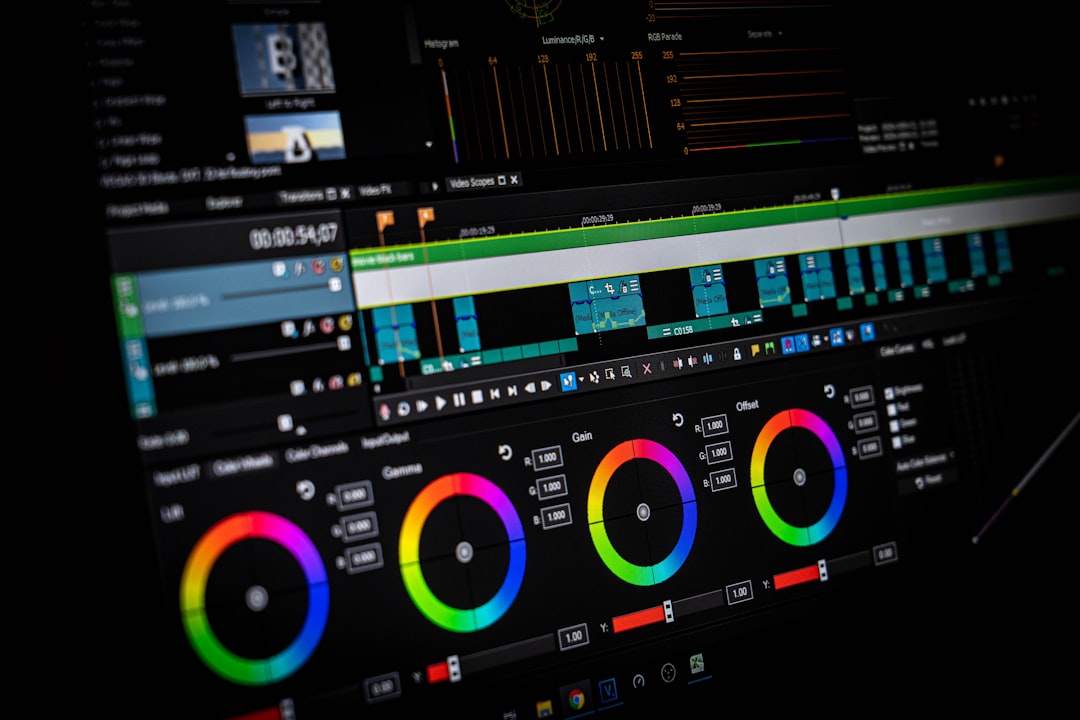
Filmora is a beginner-friendly video editor packed with powerful AI capabilities. It simplifies the editing process while offering features like auto beat sync, motion tracking, and AI portrait — allowing you to remove or replace backgrounds without needing a green screen.
- AI Smart Cutout: Easily isolate subjects from the background.
- Audio Sync: Match soundtracks to actions perfectly.
- Templates: Use pre-designed short video templates for quick creation.
Its drag-and-drop interface is intuitive, ideal for those who are just stepping into the content creation scene. Exporting directly to social platforms is a breeze, making it perfect for TikTok or Instagram Reels.
2. Runway ML
Runway is an AI-focused video editor designed with creators and non-editors in mind. It’s web-based and offers unique AI-powered features that can automate complex tasks.
- Text to Video: Generate footage based on written prompts.
- AI Magic Tools: Includes tools like remove background, inpainting, and style transfer.
- Real-Time Collaboration: Perfect for teams working on short-form content remotely.
Runway gives beginner creators access to high-end video effects often reserved for advanced editors — without requiring a steep learning curve.
3. CapCut
Owned by ByteDance, the parent company of TikTok, CapCut is arguably the most accessible video editor for short-form content. It’s available on mobile and desktop, is free, and is tailor-fit for TikTok creators.
- AI Auto Captions: Generate engaging captions instantly.
- One-Tap Effects: Understandable even for total beginners.
- Music and Trending Sounds: Access TikTok’s massive audio library.
CapCut’s AI also helps with facial recognition, auto-cropping for different aspect ratios, and even automatically syncs clips to music — perfect for punchy storytelling in under 60 seconds.
4. Veed.io
Veed.io is an online video editing tool with a strong emphasis on AI-driven automation. Known for its minimal design, Veed offers a seamless editing experience — even for those who have never edited a video before.
- AI Subtitle Generator: Automatically transcribe audio to subtitles for accessibility and engagement.
- Video Templates: Choose from a variety of presets optimized for short-form formats.
- Background Remover: Remove backgrounds with a single click using AI.
Veed.io also provides branding tools, making it a go-to solution for solo-preneurs and marketers wanting to make quick but professional-looking content.
Image not found in postmeta
5. Magisto
Magisto by Vimeo uses AI to help users create emotion-driven, short videos with almost no manual editing. Its smart technology analyzes your footage to find the best moments, edit together clips, and even choose suitable music.
- Emotion Detection: Selects key expressive clips for storytelling.
- Smart Music Matching: Aligns music with pacing for greater impact.
- Automatic Editing: Say goodbye to timeline-based controls if you prefer simplicity.
If you’re the kind of creator who has good ideas but lacks editing experience, Magisto automates the bulk of the process to help you publish with confidence.
6. Lumen5
Originally a text-to-video tool, Lumen5 is now among the top AI-powered platforms for turning blogs, scripts, and ideas into visual content. Although it’s geared more toward corporate and marketing content, its fast video generation process is ideal for beginners creating educational or promotional shorts.
- Text-to-Video: Transform written content into engaging short-form videos.
- AI-Powered Scene Suggestions: Matches visuals to concepts.
- Brand Customization: Maintain consistency even on personal reels.
Lumen5 is great for those who prefer content planning over raw filming — ideal for entrepreneurs, educators, and social media managers.
7. InVideo
InVideo offers a powerful blend of manual control and AI features, catering to all types of video creators. Its beginner-friendly editor includes over 5,000 templates that can be adapted for any niche, especially for content under 60 seconds.
- AI Text-to-Video: Quickly convert blog snippets into videos.
- Logo and Branding Tools: Perfect for small business owners on socials.
- Voice-Over Generator: Automatically add natural-sounding voiceovers.
InVideo’s mix of creative freedom and automation makes it an excellent option for everyone from vloggers to marketers entering the short-form space.
Image not found in postmetaChoosing the Right AI Video Editor
Still stuck wondering which of these AI tools is right for you? Consider the following:
- Your Editing Experience: Tools like CapCut and Magisto are most intuitive for complete beginners.
- Your Content Type: Want cinematic edits? Runway or Filmora might suit you best. Prefer quick promos? Try Lumen5 or InVideo.
- Your Platform of Choice: CapCut for TikTok, Veed.io for YouTube Shorts, and even Magisto for Facebook video ads can make a difference.
Rather than getting stuck fiddling with traditional editing software, these AI editors allow you to focus on storytelling, creativity, and building your brand or following in the short-form video world.
Final Thoughts
Creating short-form video content in 2024 doesn’t have to be intimidating or time-consuming, especially when you have the right tools. AI video editors are changing how creators work by automating time-intensive processes, recommending creative decisions, and enhancing accessibility for all skill levels.
Whether you’re a hobbyist, business owner, or aspiring content creator, using AI video editors can give you a significant head-start. So go ahead, pick the one that suits your needs, and start creating content that stands out — one 60-second masterpiece at a time.

- The Best Alternatives to DuckDuckGo: 5 Privacy-Focused Browsers and Search Tools for Tracking Protection and Safer Web Research - November 15, 2026
- 1Password Pricing and Alternatives: 7 Password Managers Compared for Individual, Family, and Enterprise Plans - November 14, 2026
- Secrets Management Platforms for AI Workspaces: 6 Tools for Protecting API Keys, Managing Credentials, and Securing Automated Workflows - November 14, 2026


