

If you’ve ever tried to speed up your website, you’ve probably heard of W3 Total Cache and Cloudflare. Each on its own is a hero. Together? Not always that simple. This is the story of how my blazing-fast website became a turtle overnight… because of a small, sneaky conflict between these two popular tools.
TL;DR (Too long, didn’t read)
I used W3 Total Cache and Cloudflare to make my site faster. But a few Cloudflare Page Rules clashed with W3 settings. My PageSpeed Insights score plummeted. After hours of debugging, I found the sneaky culprit and fixed it with a few simple tweaks.
The Dream Team: W3 Total Cache + Cloudflare
On paper, this setup looks amazing:
- W3 Total Cache: Compresses files, caches pages, and minifies CSS/JS.
- Cloudflare: Acts as a speed-boosting middleman (CDN), adds security, and can cache your entire site.
Used together, they’re supposed to deliver lightning speed.
So I installed W3 Total Cache and connected my site to Cloudflare. I felt like a genius. Load times dropped from 3 seconds to under 1. Sweet!
Then Everything Changed: PageSpeed Score Hits Rock Bottom
One morning, I checked my site’s Google PageSpeed Insights just to brag.
It went from 95 to 31 overnight. Wait, what?!
I ran the scan again. Same result.
Something was very wrong.


First Suspect: W3 Total Cache Misfire
I opened my WordPress dashboard and checked W3 Total Cache settings.
Everything looked normal. Page caching, minification, object cache—all good.
Clear all caches? Done.
Still slow.
Next Suspect: Cloudflare Sneaky Page Rules
Then it hit me: I had added some Cloudflare Page Rules last week. Hmm…
Let me explain what Page Rules are.
Page Rules in Cloudflare let you control how Cloudflare handles your site. For example, you can:
- Force HTTPS
- Disable security checks
- Cache everything (literally everything)
Sounds great, but it has a dark side.
The Conflict: “Cache Everything” Isn’t Always Good
I had created a rule like this:
If URI matches yourdomain.com/* → Cache everything + Edge cache TTL = 1 month
Guess what? That conflicted with W3 Total Cache’s own caching logic.
Basically, Cloudflare said: “I’ll serve this cached page forever.”
Meanwhile, W3 Total Cache was trying to refresh parts of the site based on changes and settings.
So users weren’t getting the latest optimized files. Worse yet, Cloudflare served HTML and JS from an older cache version.
This threw off performance. And PageSpeed was not happy.
Symptoms of the Conflict
Here’s how the conflict showed up:
- Outdated JS/CSS files: Minified files weren’t updating.
- Stale HTML pages: Even when I changed content, pages looked the same.
- CDN headers: Headers from Cloudflare didn’t reflect W3’s dynamic behavior.
- No GZIP compression: Cloudflare stripped GZIP from some responses.
How annoying is that?
How I Diagnosed It
Here’s how I figured it out:
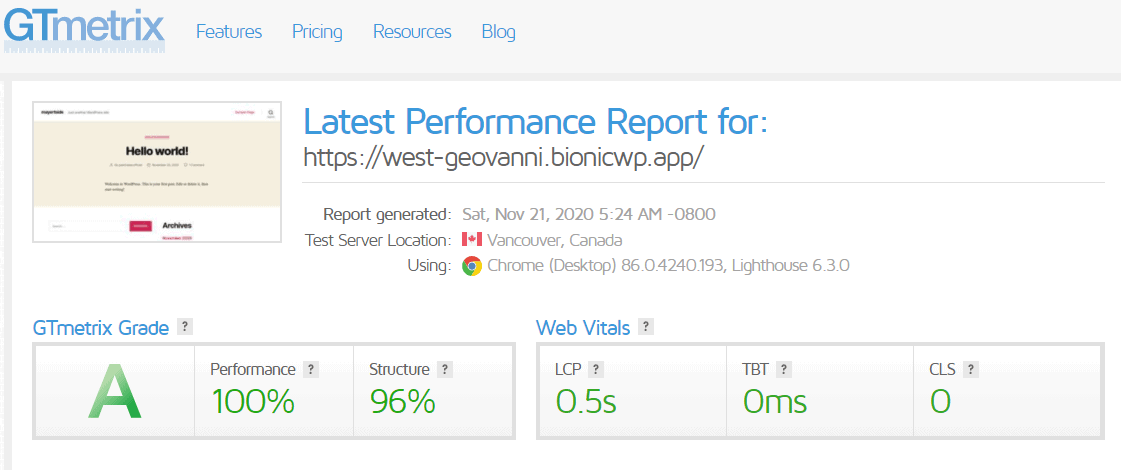
- First, I used GTmetrix and inspected what CDN headers were being delivered.
- Then, I looked at my developer tools (Chrome DevTools → Network tab) to inspect the cache status.
- I noticed files had “HIT” from CF cache, but were missing latest updates.
- Disabling the “Cache Everything” rule made the updated versions appear instantly.
Bingo. Conflict confirmed.
The Fix (Finally!)
Here’s how I made peace between W3 Total Cache and Cloudflare:
Step 1: Remove Dangerous Page Rule
I edited this rule:
yourdomain.com/* → Cache Everything
Instead, I created a more specific rule:
yourdomain.com/static/* → Cache Everything + Edge TTL 1 month
That way, only images, CSS, and JS files were aggressively cached—not my HTML pages.
Step 2: Let W3 Total Cache Handle HTML
Now, W3 could handle page caching on HTML while Cloudflare focused on static content. Perfect balance!
Step 3: Set Browser Caching Smartly
In Cloudflare, I let edge caching be light. W3 managed browser cache time headers via .htaccess, like a pro.
Bonus Tips to Avoid Disaster
- Never cache HTML blindly using “Cache Everything” unless you don’t use a caching plugin.
- Use Cloudflare’s development mode or purge cache if testing optimizations.
- Always exclude admin/dashboard URLs in Page Rules.
- Test every change with tools like GTmetrix or WebPageTest.

Lesson Learned: Tools Need Rules
Both W3 Total Cache and Cloudflare are excellent tools. But they need clear boundaries.
Let W3 Total Cache manage page caching, minifying, and performance from within WordPress.
Let Cloudflare handle DNS, DDoS protection, and lightning-fast static content delivery.
When one starts doing the job of the other—things break.
Set clear roles, or your PageSpeed will pay the price.
Wrap-Up: Back to 95 Again
After some teaks and rule adjustments, I re-ran PageSpeed Insights.
Score? 95 again!
Load time? 900ms flat.
I may have broken my site for a day, but the lesson stuck with me:
When optimizing your site, speed doesn’t mean setting everything to “maximum”… it means setting things up smart.
Hope my mistake helps you avoid yours!
Stay fast out there, friends 🚀


- Proven Methods To Improve Brand Visibility In AI-Powered Search Engines In 2026 - February 13, 2026
- 8 Best Windirstat Alternative Disk Space Analyzer Tools For Windows Beginners - February 13, 2026
- Best Adventure Travel Itineraries: Hiking, Biking & Nature Immersion Trips Explained - February 12, 2026