
Why Microsoft Error Code 3399745538 Occurs and How to Fix It
Imagine this: You’re working on something important. Maybe it’s a school project. Maybe it’s a work report. Suddenly, your computer throws up a scary error. One minute, everything was fine. The next, Microsoft Error Code 3399745538 shows up, stopping everything. What does that mean? Why did this happen? And—most important—how do you fix it?
TL;DR (Too Long, Didn’t Read)
Error Code 3399745538 usually pops up because something in Windows has gone wrong—missing files, broken updates, or corrupted system files. The fix depends on the cause, but don’t worry: you won’t need to be a tech wizard to solve it. This guide covers simple steps anyone can try. Keep reading and we’ll walk you through it, step by step!
What is Error 3399745538 Anyway?
This awkwardly long number is a Windows system error. It might sound complicated, but it’s really just Windows’ way of saying: “Oops, something’s not working right!”
Here’s what typically causes it:
- A program you’re trying to run has a missing file.
- Windows is missing an important update.
- Your system files are corrupted or broken.
- Registry issues are messing things up.
It’s not rare. It sounds scary, but you’re not alone. Many users have run into this exact same thing!
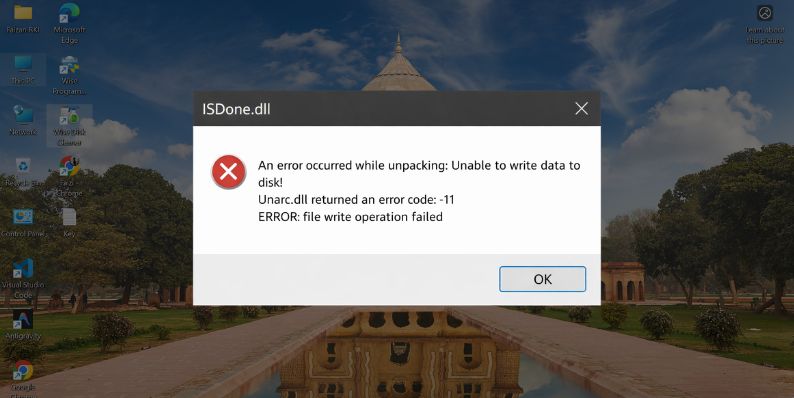
Common Symptoms of Error 3399745538
How do you know this is the exact error you’re dealing with? Look for these signs:
- You get a pop-up saying “The application failed to start.”
- Programs crash for “no reason.”
- Your computer feels slower than usual.
- An installer or tool refuses to launch.
Basically, if your computer is acting strange and tossing this code at you, it’s time to take action!
Why This Error Happens
Let’s break it down. Simple language. No tech degree required!
1. Missing or Corrupted DLL Files
DLL stands for “Dynamic Link Library.” These are like building blocks your programs need to work.
If one goes missing or gets corrupted, the entire program could break. Boom—Error 3399745538 appears!
2. Incomplete or Failed Software Installations
Sometimes an app isn’t fully installed. Or something interrupted the process. In that case, its files don’t talk well with your system—which leads to crash city.
3. Windows System Updates Gone Wrong
Updates are helpful… when they work. But once in a while, they break things. If a system file was removed or changed in the wrong way, it may cause this error.
4. Virus or Malware Infection
Yep, those sneaky bugs can damage system files. That includes registry files, DLLs, and more. If your antivirus software is out of date, this may be the sneaky culprit!
5. Broken or Conflicting Registry Keys
The Windows Registry is like a master control list. If something goes wrong inside it, programs may not know how to run. This often causes the 3399745538 issue.
How to Fix Microsoft Error Code 3399745538
Let’s get you back on track. Try these simple fixes. Start with the easiest and move down if needed.
Fix 1: Restart Your Computer
We know. It sounds silly. But guess what? Most of the time, it actually works!
A fresh restart clears memory and reloads important files. That alone might fix it.
Fix 2: Run System File Checker (SFC)
This built-in Windows tool scans for broken system files.
- Click the Start button and type “cmd“.
- Right-click on Command Prompt and select Run as administrator.
- Type:
sfc /scannowand hit Enter.
Wait for the scan to finish. It might take a while, but it can work wonders.
Fix 3: Reinstall the Problem Application
If this error happened after opening a specific program, try reinstalling it.
- Go to Control Panel > Programs > Uninstall a program.
- Find the app, uninstall it.
- Restart your computer.
- Download and install the latest version.
Fresh installs often grab the right files you need.
Fix 4: Update Windows
Microsoft rolls out patches for known bugs all the time.
Go to Settings > Windows Update and check for updates. Install anything you see. Then reboot.
Fix 5: Run DISM Tool
This tool repairs the image of your Windows installation itself.
- Open Command Prompt as administrator.
- Type:
DISM /Online /Cleanup-Image /RestoreHealth - Press Enter and wait—it’ll take some time.
You’ll want to run SFC again after that to clean up any last things.
Fix 6: Scan for Malware
A malicious file might be causing problems. Run a deep virus scan using:
- Windows Defender (built-in).
- Or tools like Malwarebytes or Bitdefender for extra power.
Delete anything suspicious it finds.

Fix 7: Use System Restore
If this error just started showing up lately, try rolling your system back.
- Go to Start > Create a restore point.
- Choose System Restore and follow the prompts.
- Pick a date where everything worked fine and restore from there.
Warning: This may uninstall some recent apps or updates. But your files will be safe.
When to Call in a Pro
If none of these fixes worked, it might be time to hand the problem over to a tech expert.
Especially if:
- Your system won’t boot properly.
- You see multiple error codes.
- Your PC is acting super slow or unresponsive.
Sometimes hardware issues, bad drives, or deep system corruption are beyond DIY repairs. Don’t feel bad—it happens!
Bonus Tips to Avoid Future Errors
Now that you’ve fixed it (or are well on your way), here’s how to keep Error 3399745538 from coming back to haunt you.
- Update your OS regularly.
- Keep your antivirus turned on and scanning.
- Clean junk files and registry entries using tools like CCleaner now and then.
- Uninstall software you no longer use.
- Shut down properly. Never just yank the plug or hold down the power button.
Treat your PC well, and it’ll take care of you too!
Final Words
Getting hit with Microsoft Error Code 3399745538 is annoying. But it’s not the end of the world. Most of the time, it’s caused by corrupt files or missing components and can be resolved with a few simple steps.
Just follow the fixes we listed. Try them in order. In most cases, your problem will be solved by the time you hit Fix #3 or #4.
Still stuck? No shame in calling in help. That’s what tech support is there for.
Good luck—and may your PC run smooth and error-free from now on!

- GlobalData Alternatives: 7 Market Intelligence Platforms for Industry Research, Company Profiles, and Competitive Analysis - November 13, 2026
- 7 Workforce Skills Intelligence Platforms Compared: Workera, Degreed, and Other Tools for Skills Mapping, Upskilling, and Career Development - November 13, 2026
- Password Generator Tools Compared: 8 Options for Creating Strong Random Passwords, Custom Lengths, and Memorable Passphrases - November 13, 2026


