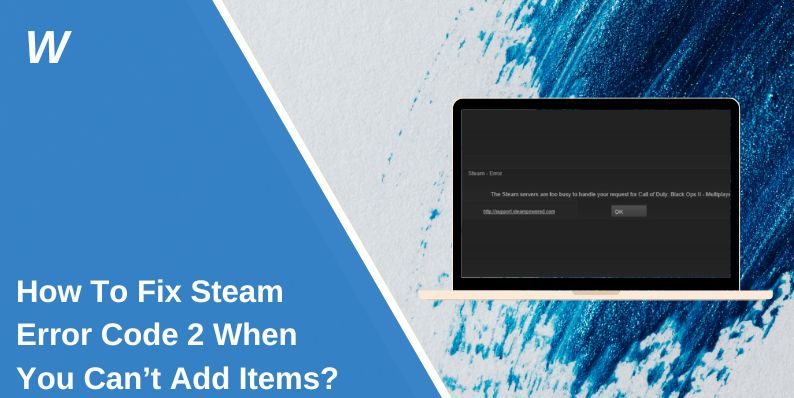
How To Fix Steam Error Code 2 When You Can’t Add Items?
It’s annoying when you try to buy a game on Steam and the cart refuses to add anything. You click the button, but nothing happens, and Steam shows Error Code 2 instead. When this happens, you just want the store to work so you don’t miss a sale. This guide explains why this error shows up and how to fix it quickly with simple steps.
What Is Steam Error Code 2?

Error Code 2 shows up when Steam can’t add an item to your cart. It means the Steam Store had trouble loading, submitting your request, or connecting to the Steam servers. The store might be blocked by your browser, your network, or a temporary Steam issue.
You might see this on the Steam client, the Steam website, your phone, or your PC browser. No matter where you see it, the cart breaks because something interrupted the store request.
Common Causes of Steam Error Code 2
This error can appear for different reasons. Here are the most common ones:
- Steam servers are having problems
- Your browser cache is corrupted
- VPN or proxy changed your Steam region
- Browser extensions blocking scripts
- Your Steam account has a restriction
- Steam client is not synced
- Your network is unstable or slow
How To Fix Steam Error Code 2 When You Can’t Add Items?
Here are nine simple fixes you can try. Start with the easy ones first.
Fix 1: Refresh the Steam Store and Try Again
Sometimes the store doesn’t load the cart correctly. Refresh the page or restart the Steam client. Try adding the item again.
Fix 2: Clear Browser Cache and Cookies
Old cache files can stop Steam from updating your cart.
Here are the following steps which help you clear it:
- Open your browser settings.
- Go to Privacy and Security.
- Pick Clear browsing data.
- Clear cookies and cache.
- Restart your browser.
Then open Steam again.
Fix 3: Turn Off VPN or Proxy
A VPN or proxy changes your IP and region. Steam doesn’t like region changes, and the cart can fail.
Turn off your VPN or proxy. Refresh the store. Try adding the item again.
Fix 4: Disable Ad Blockers or Script Extensions
Extensions can block parts of the Steam Store, including the cart system.
You can perform the following steps:
- Open your browser extensions page.
- Turn off ad blockers.
- Turn off script blockers.
- Reload the Steam Store.
Fix 5: Log Out of Steam and Log Back In
A broken login session can cause cart problems.
Try these simple steps:
- Log out of your Steam account.
- Close your browser or Steam client.
- Open Steam again and sign in.
- Try adding items to your cart.
Fix 6: Use the Steam Client Instead of a Browser
Sometimes the browser version glitches. The Steam client usually works better with cart actions.
- Open the Steam app.
- Search for your game.
- Add it to your cart there.
Fix 7: Try a Different Browser or Device
If the cart works on another browser or device, the problem is in your main browser settings.
Fix 8: Check Your Region and Age Settings
Steam blocks some items by region or age. If your region changed due to VPN, or your age settings are missing, the cart won’t add the item.
Make sure your account information is correct.
Fix 9: Check Steam Server Status
If Steam’s servers are down, no fix will work until Steam repairs the issue. Look up “Steam Status” or check community reports.
Prevention Tips to Avoid Errors in Future
You can avoid this error in the future by keeping a few habits:
- Keep your browser updated
- Avoid using VPN when shopping on Steam
- Clear your cache often
- Keep the Steam client updated
- Make sure your account info is correct
- Avoid heavy extensions on store pages
Conclusion
Steam Error Code 2 usually shows up when the store can’t add an item to your cart because of a browser issue, a VPN problem, or a Steam server glitch. The good news is that most of these problems are easy to fix. Try the steps in this guide one at a time.
If nothing works, you can contact Steam Support, and they can check if your account has a store lock or region restriction. If this guide helped you, feel free to share it so other players can fix the same issue.

- How to Fix Jellyfin Won’t Play Media? - January 28, 2026
- How to Fix Jellyfin Plugin Repositories Not Working? - January 28, 2026
- Can People Dox You Through Xbox Game Pass Profile? - December 8, 2025
Where Should We Send
Your WordPress Deals & Discounts?
Subscribe to Our Newsletter and Get Your First Deal Delivered Instant to Your Email Inbox.