How to Fix Forza Motorsport Xbox App Error Code 0x80190193
Forza Motorsport is one of the most beloved racing simulation games in the Xbox and PC ecosystem, delivering high-speed realism and cutting-edge graphics. However, for some users attempting to play via the Xbox app on Windows, an interrupting issue in the form of Error Code 0x80190193 has surfaced, frustrating many fans. This error typically prevents the game from launching or interferes with its online services, potentially ruining what should be a smooth gaming experience.
TLDR (Too long, didn’t read):
If you’re encountering Error Code 0x80190193 when launching Forza Motorsport via the Xbox app, it’s usually linked to network connectivity issues, corrupted cache files, or authentication errors. Simple steps like signing out and back into your Xbox account, resetting the app cache, or updating Windows can often resolve the problem. Persistent errors might require reinstalling the Xbox app or adjusting firewall settings. Following a systematic troubleshooting process can get you back on the virtual track quickly.
What Causes Error Code 0x80190193 in Forza Motorsport?
This particular error code has been reported across multiple Xbox titles, but it’s most prominent for users running Forza Motorsport through the Xbox app on Windows. The error is typically linked to:
- Authentication problems between the Xbox app and user account
- Network connectivity issues blocking communication with game servers
- Corrupted local cache or outdated system files
- Issues with the Microsoft Store dependencies
Identifying where the problem stems from makes it easier to apply the correct fix without unnecessary steps.
How to Fix Forza Motorsport Xbox App Error Code 0x80190193
1. Restart the Xbox App and Your PC
The simplest step is often overlooked. Restarting both the Xbox app and your PC clears session data and can reestablish proper functionality.
- Close the Xbox app completely — ensure it’s not running in the system tray.
- Restart your computer.
- Reopen the Xbox app and try launching Forza Motorsport again.
2. Sign Out and Back Into the Xbox App
Sometimes, user authentication expires or gets corrupted, and signing back in can resync credentials.
- Open the Xbox app.
- Click on your profile picture in the top-right corner.
- Select Sign Out.
- Close and reopen the app, then sign back in with your Microsoft account.
3. Clear the Xbox App and Microsoft Store Cache
Corrupted or outdated cache files can stop services from functioning correctly. Clearing them can fix launch and connectivity issues.
- To clear the Microsoft Store cache:
Press Win + R, type wsreset.exe, and hit Enter.
A blank Command Prompt window will appear and automatically close. Then the Microsoft Store will open signifying a cleared cache.
- To reset the Xbox app:
- Go to Settings > Apps > Installed apps.
- Select Xbox and click Advanced options.
- Click Reset. This will clear the app’s data but not uninstall it.
4. Check Windows and Xbox App for Updates
An outdated system or app version may lack essential patches or security authorizations.
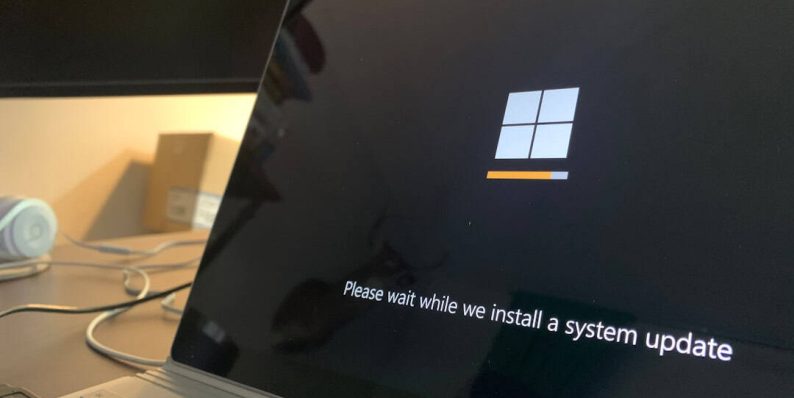
- Open Start and go to Settings > Windows Update.
- Click Check for updates and install any pending updates.
- Open the Microsoft Store, click on Library, then choose Get updates.
- Make sure the Xbox app and Gaming Services are updated.
[ai-img]windows update, xbox app, forza motorsport[/ai-img]
5. Adjust Network Settings and Disable VPNs
Many users report error code 0x80190193 is triggered when using VPNs or proxy networks that conflict with Xbox Live services.
- Disconnect from any active VPN or proxy service and try launching the game again.
- For a more permanent solution, try toggling IPv6 off from your network adapter settings and restarting your PC.
6. Repair or Reinstall Gaming Services
Gaming Services is a background utility required for Xbox games on PC. If it’s partially installed or corrupt, it can trigger launch issues.
Open PowerShell as Administrator and run the following command:
get-appxpackage Microsoft.GamingServices | remove-AppxPackage -allusers
Then reinstall Gaming Services via the Microsoft Store or use this command:
start ms-windows-store://pdp/?productid=9MWPM2CQNLHN
7. Reinstall the Xbox App
As a last resort, a full reinstall of the Xbox app ensures a clean installation without corrupt files.
- Go to Settings > Apps > Installed apps.
- Select Xbox, click Uninstall.
- Go to the Microsoft Store or Xbox official website and download the app again.
[ai-img]xbox app, troubleshoot, reinstall[/ai-img]
Other Helpful Tips
- Ensure your Time and Region settings are correct, as Xbox Live services rely on them for verification.
- Try launching the game via Microsoft Store instead of the Xbox app to check if the behavior differs.
- Temporarily disable third-party antivirus software that might interfere with app connectivity.
When to Contact Support
If none of the above methods solve the issue, it may be necessary to reach out to Xbox Support or Forza Motorsport Support directly. Provide them with a full description of your device configuration, the steps you’ve already tried, and attach a screenshot of the error if possible. This can help expedite the troubleshooting process.
FAQ
-
What is error 0x80190193 in Forza Motorsport?
This error typically indicates a network, authentication, or app-related problem preventing the game from launching properly through the Xbox app. -
Can I still play Forza Motorsport offline with this error?
In most cases, this error prevents both online and offline play, as it’s tied to app-level access and not just online services. -
Will reinstalling the game fix the issue?
While it can help in some situations, the root cause often lies in the Xbox app or Gaming Services setup rather than the game itself. -
Does using a VPN always result in this error?
Not always, but VPNs can cause Xbox Live authentication to fail. It’s a known issue especially when using servers in unsupported regions. -
How long does it take to fix error 0x80190193?
Most fixes take under 30 minutes. In rare cases where full reinstallation is needed, it may take longer depending on connection speed.
By following these steps systematically, users can usually resolve the error and get back to enjoying the thrilling atmosphere of Forza Motorsport without further interruption. Happy racing!