Top 5 Grammar Tools That Turn Your Voice Into Robotic Text (Grammarly, ProWritingAid, and Fixes Students Used)
For students, professionals, and anyone looking to polish their writing, grammar tools can be lifelines. With just a few clicks, you can transform clunky sentences into polished prose. But there’s a catch: some writing tools can make your writing sound more robotic than natural, stripping it of personality. In this article, we explore five grammar tools, including industry leaders like Grammarly and ProWritingAid, that can flatten your tone — and we’ll also share how students learned to fix this problem.
TL;DR
Grammar tools like Grammarly, ProWritingAid, and others are incredibly helpful for correcting spelling and grammar errors. However, overreliance on these systems can lead to robotic, formulaic writing that lacks a personal voice. We go through five common tools known to make text mechanical, and then offer practical fixes students use to regain control over their tone. Learning how to balance AI assistance with authentic voice is key to better, more human writing.
1. Grammarly – The Most Popular Assistant with the Most Robotic Flaws
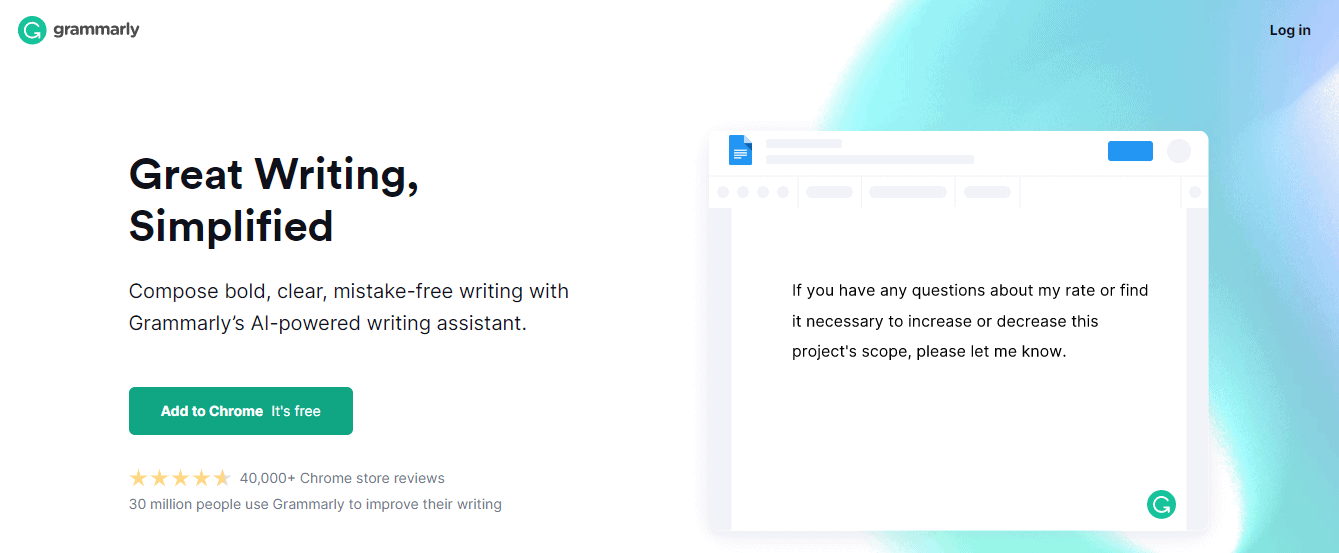
Grammarly is the most widely used grammar tool, installed by millions. From Chrome extensions to integrated word processors, it works in real-time to check grammar, tone, punctuation, and more. But its popularity also means it’s the biggest culprit in flattening style.
The platform favors formality and clarity over creativity. Students often find their text becoming bland or overly corrected, especially when using Grammarly to “fix tone.” Grammarly’s “tone detector” sometimes misreads casual, friendly, or creative choices as incorrect, offering “improvements” that make the voice cold and mechanical.
Fix: Students often write the first draft without Grammarly, then use it after the main content is down. They apply only critical corrections—like grammar or typos—and ignore style edits unless they enhance meaning.
2. ProWritingAid – Feature-Rich but Machine-Like
ProWritingAid offers in-depth reports, ranging from overused words to sentence length variation. It’s great for advanced analysis, especially for long essays and academic writing. But its strength is also its weakness—it breaks writing into measurable parts and recommends changes that sometimes suck the life out of prose.
Many students report their paragraphs start to “read like software documentation” after following every suggestion the tool makes. ProWritingAid has an obsession with readability algorithms. If you let the tool’s rules dictate every sentence, you’ll likely end up with sterile and predictable content.
Fix: Customize your writing goals in ProWritingAid. Select “creative writing” or “casual” instead of “academic” or “business”. Also, review the Summary Report to spot “robotic” patterns like too many glue words or uniform sentence length, then rewrite with more flair manually.
3. Hemingway Editor – Let’s Just Say It’s Not for Creative Writing
The Hemingway Editor is famous for its focus on simplicity and brevity. It color-codes your text and flags complex sentences, adverbs, and passive voice. But in doing so, it often bullies writers into erasing nuance and rhythm from their writing.
This tool shines in environments where clarity and efficiency are paramount—like emails or guides. But for essays, creative writing, or nuanced arguments, it can sabotage tone and make your writing feel like it’s been reduced to a list of facts.
Fix: Use Hemingway as a final polish tool. Draft freely first, then run passages through Hemingway to spot problem areas. Ignore adverb warnings when they serve stylistic or emotional purposes.
4. Slick Write – Fast, Free… and Forgettable
Slick Write is a lesser-known alternative that provides quick grammar checker features for free. It identifies structure issues, grammar errors, and stylistic points. It’s efficient, but its templated corrections often lack nuance.
Unlike Grammarly or ProWritingAid, it doesn’t attempt advanced tone detection. However, its recommendations steer users toward uniform sentence structure and formulaic transitions, which makes it easy to fall into repetitive patterns.
Fix: Use Slick Write as a first-check pass, especially for catching overlooked errors. Then rewrite certain marked sections without accepting all automated suggestions. Combine outputs with other tools to ensure vibrancy is not lost.

5. Quillbot Grammar Checker – Paraphrasing to the Point of Loss
Quillbot is primarily known for its paraphrasing tool, but it also offers a grammar checker. Its power lies in rewording, making it attractive to students seeking a more sophisticated structure. However, Quillbot often replaces human phrasing with sterile alternatives.
The problem? It doesn’t always understand the context of a sentence. Instead of making a line clearer, it may restructure it to sound like a textbook definition. The personality of the original sentence is usually sacrificed.
Fix: Use Quillbot sentence-by-sentence, and only when you feel stuck. Avoid pasting entire paragraphs to paraphrase. Always read the output aloud to ensure it still sounds like you, not an AI script.
How Students Are Fighting Back Against Robotic Writing
Today’s smart students have developed strategies to balance AI-helped editing with maintaining their unique voice. Through trial and error, they’ve identified that the best approach uses grammar tools selectively.
- Voice First: Write a full draft without any grammar tools interfering. Focus on storytelling, flow, and personality.
- Separate Edit Phases: Use editing tools in phases—not all at once. Start with spellcheck, then grammar corrections, and finally review stylistic suggestions.
- Read Aloud: As simple as it sounds, reading drafts aloud flags robotic phrasing immediately.
- Peer Reviews: Humans still outperform machines when it comes to voice and tone. Have a classmate or tutor give feedback.
- Minimize Dependency: Keep AI assistants in the reviewer role, not the author role. Use them as guides, not bosses.
Do These Tools Still Have Value?
Absolutely. For catching typos, ensuring punctuation is consistent, and improving clarity in technical documents, grammar tools are invaluable. Writers just need to be aware of their limits. These tools don’t understand context the way people do—they can’t detect irony, emotional nuance, or literary flair.
Relying entirely on software will likely make your writing acceptable, but also bland and soulless. That’s fine for some tasks, but for anything meant to persuade, touch, or evoke emotion, the human touch is irreplaceable.
Final Thoughts
Grammar tools like Grammarly and ProWritingAid can make your writing look cleaner and more professional. But when overused or blindly followed, they rob your voice of authenticity. As students have discovered, the key is using these tools as part of your process—not as the whole process.
Remember: great writing is not just grammatically correct. It’s also passionate, expressive, and uniquely you.

- Laaster vs Traditional Cloud Solutions: Why Real‑Time Architecture Wins In 2026 - February 11, 2026
- Exclusive Quintessential England Travel Planner: London, Cotswolds & Hidden Gems - February 11, 2026
- Malware vs. Virus Explained For Everyday Users: Key Differences, Detection & Protection Tips - February 11, 2026
Where Should We Send
Your WordPress Deals & Discounts?
Subscribe to Our Newsletter and Get Your First Deal Delivered Instant to Your Email Inbox.